Scenario planning is the highest-leverage activity in FP&A, yet most teams are bottlenecked by manual iteration cycles. AI cuts scenario build time from weeks to hours, increases the number of scenarios you can run by 10x, and produces more defensible models. This post breaks down the exact workflow, the prompts, the pitfalls, and the four things 90% of finance teams miss.
AI-Powered Scenario Planning: The Complete Playbook for FP&A Leaders
Scenario planning should be one of finance's most powerful strategic tools. In most organizations, it has become one of its most painful.
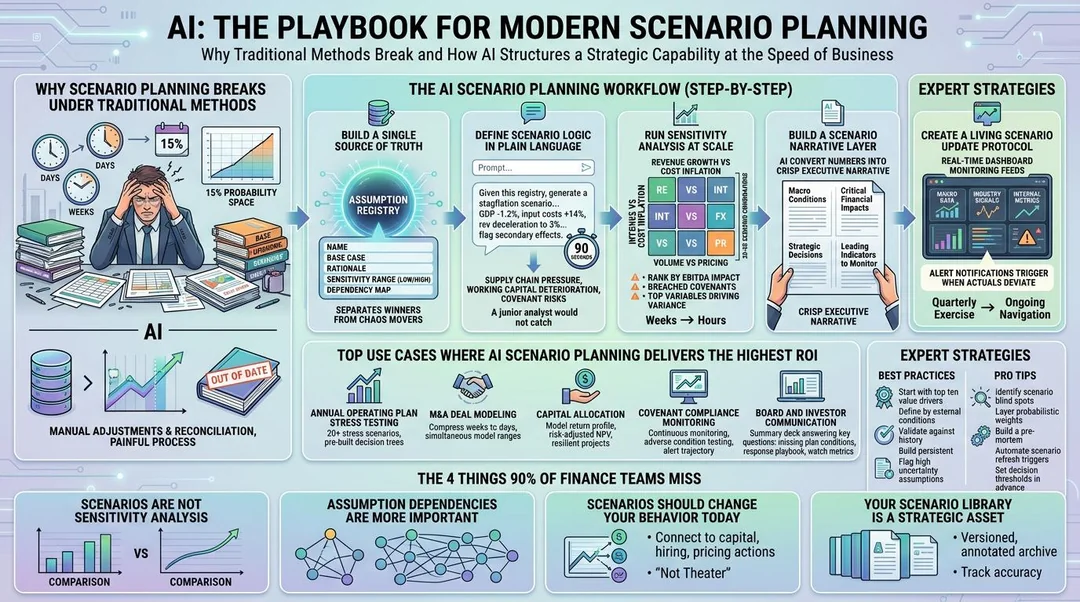
The typical FP&A team builds three scenarios (base, upside, downside) by manually adjusting 15 to 20 key assumptions in a spreadsheet, reconciling across five workbooks, and delivering a deck that is already out of date by the time the CFO presents it to the board.
AI changes this completely. Not incrementally. Structurally.
Here is the full playbook for finance leaders ready to build a AI-powered scenario planning capability that matches the speed of the business.
Why Scenario Planning Breaks Under Traditional Methods
Before covering how AI helps, it is worth being precise about why the traditional approach fails.
The bottleneck is not the math. It is the iteration cycle.
Building a single scenario in a well-structured spreadsheet model takes four to eight hours of analyst time. That includes assumption changes, formula reconciliation, output formatting, and sanity checking. Three scenarios take two to three days. Getting to ten scenarios — which is what actually useful sensitivity analysis requires — takes a week or more, by which point the macro environment has shifted and the board wants updates.
The result: finance teams default to three scenarios and present them as if they are meaningful, when in reality they are covering about 15% of the actual probability space.
AI solves this by collapsing the iteration cycle from hours to minutes.
The AI Scenario Planning Workflow (Step-by-Step)
Step 1: Build a Single Source of Truth for Your Assumptions
Before AI can accelerate your scenario planning, your assumptions need to live in one place, not embedded in cell formulas, not in a separate tab that three people edit, but in a structured, labeled assumption registry.
The assumption registry should contain: the assumption name, the base case value, the documented rationale, the sensitivity range (low/high), and the dependency map (which outputs this assumption drives).
Step 2: Define Your Scenario Logic in Plain Language
With a structured assumption registry, you can now instruct an AI model to generate scenarios using plain language. This is where most teams underutilize AI, they ask it to do math instead of asking it to do thinking.
A strong scenario prompt looks like this:
Given this assumption registry, generate a stagflation scenario for fiscal year 2026. Assume: GDP growth contracts to -1.2%, input costs rise 14% YoY, revenue growth decelerates to 3%, and hiring freezes take effect in Q2. Propagate these changes through the dependency map and flag any secondary effects I may have missed.
That prompt takes 90 seconds to write. The AI will return a fully specified scenario with second-order effects (e.g. supply chain pressure on gross margin, working capital deterioration from slower collections, and potential covenant risks on existing debt facilities) that a junior analyst would not catch without significant experience.
Step 3: Run Sensitivity Analysis at Scale
Instead of manually running three to five scenarios, use AI to generate a full sensitivity matrix: 20 to 50 scenario combinations across your key variable pairs. Revenue growth versus cost inflation. Interest rates versus FX exposure. Volume versus pricing. Customer retention versus CAC.
Ask the AI to rank the output by EBITDA impact, flag the scenarios that breach financial covenants, and identify the top three variables driving outcome variance.
Step 4: Build a Scenario Narrative Layer
Numbers without narrative do not drive decisions. AI is exceptionally good at converting a scenario output into a crisp executive narrative.
For each scenario, generate: a one-paragraph description of the macro conditions that drive it, the three most critical financial impacts, the strategic decisions the company needs to make under that scenario, and the leading indicators the CFO should monitor to know if this scenario is materializing.
This narrative layer is what turns a scenario model into a board-ready strategic document.
Step 5: Create a Living Scenario Update Protocol
Build a protocol where AI monitors your key leading indicators (macro data feeds, industry signals, internal performance metrics) and flags when actual performance is deviating toward a specific scenario. This transforms scenario planning from a quarterly exercise into an ongoing strategic navigation tool.
Top Use Cases Where AI Scenario Planning Delivers the Highest ROI
Best Practices
The 4 Things 90% of Finance Teams Miss
Where to Start This Week
If you do nothing else after reading this: pull your last annual plan, identify the ten assumptions that drive 80% of your EBITDA, build a structured assumption registry, and prompt an AI to generate five coherent macro scenarios against it.
Do not optimize the process. Do not build the perfect template. Run the experiment once, end to end, and see what the AI surfaces that your current scenario planning misses.
The gap between what you find and what your current process would have caught — that is the ROI of AI-powered scenario planning.
Finance teams that build this capability now will operate with a strategic planning advantage that compounds over every cycle. The teams that wait will be presenting three-scenario decks to boards that already know AI can do better.
Learn more about how AI can accelerate your organization's performance planning here: https://www.una.ai/resources/blog
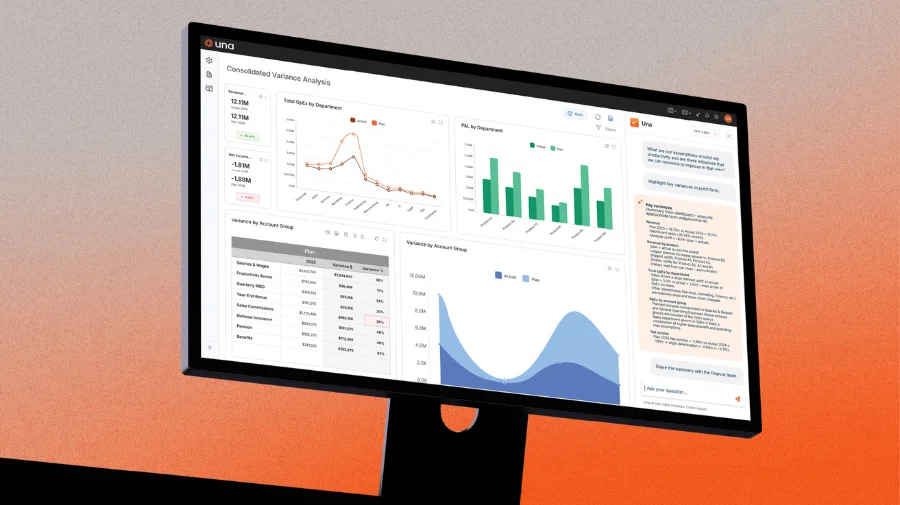
Ready to take control of your budgeting, planning, forecasting and reporting? Schedule a demo and see how Una’s financial planning & analysis software can work for you.
Schedule Demo


